Step 1:
Prepare a blast message. Feel free to amend this to your liking, but here is a template.
Dear AAAI Team,
We are currently experiencing a phone service outage that is affecting our ability to receive and make calls. Our technical team is aware of the issue and is working diligently to resolve it as quickly as possible.
We apologize for any inconvenience this may cause and appreciate your patience and understanding during this time. In the meantime, if you need assistance, please feel free to contact us via email at support@damontek.com or call us at 602.600.6321
We will provide updates as soon as more information becomes available. Thank you for your continued support.
Sincerely,
DamonTek
Step 2
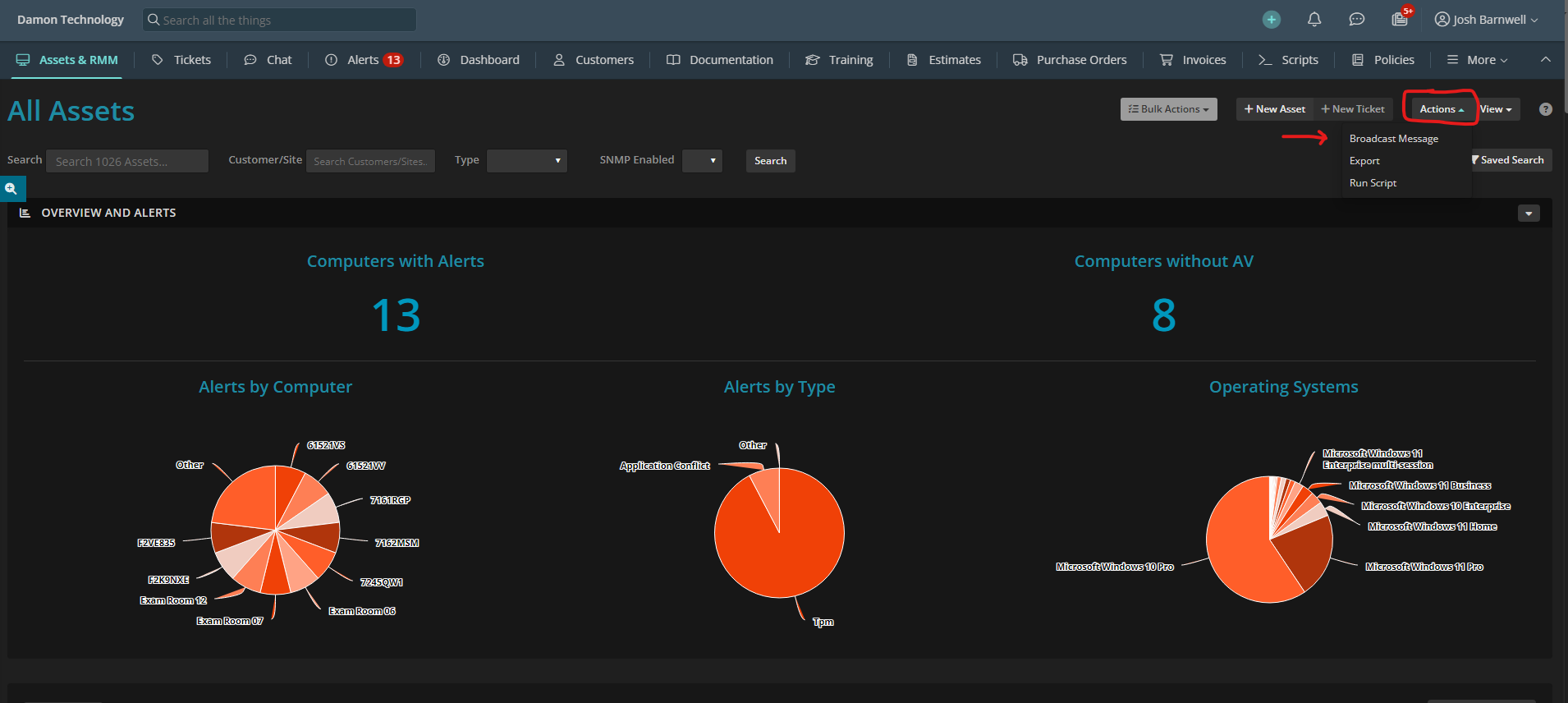
Go to syncro and click assets and RRM. Next click actions and select broadcast message.
Step 3
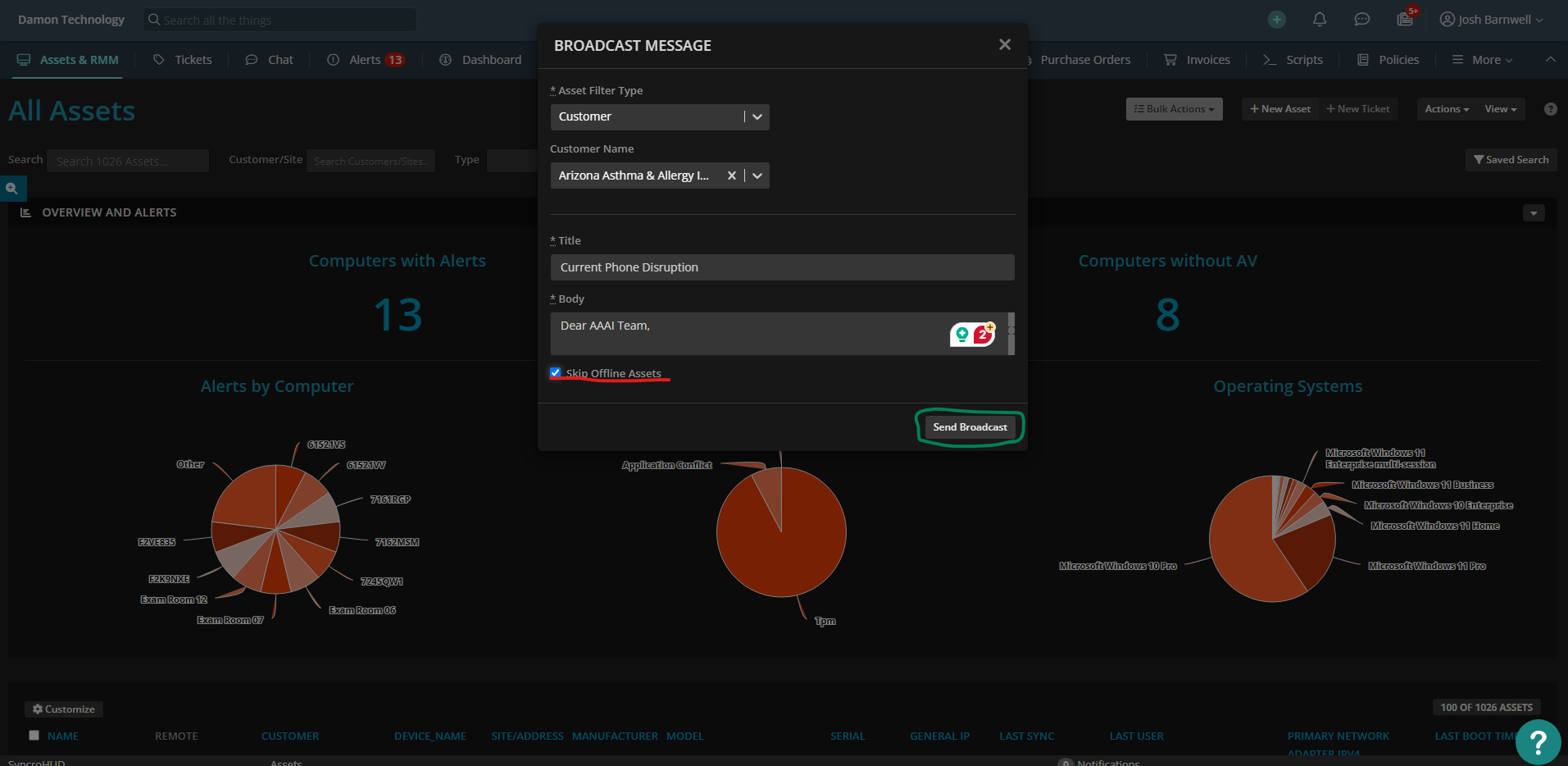
Fill out the categories as shown below. Key features make sure to have the title of the outage. The body will be the above prepared message. Make sure to check the box that skips offline assets and then select broadcast message to send it out.
SkySwitch
Step 1
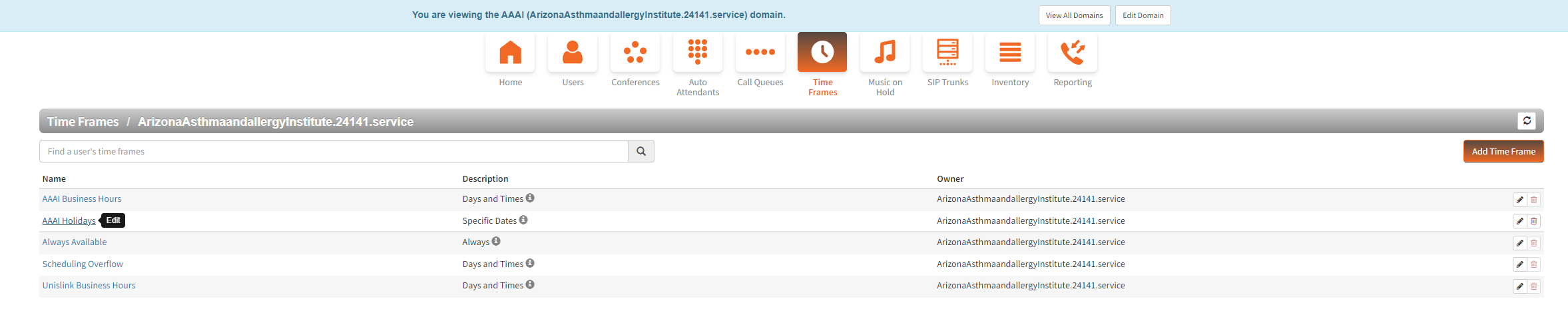
Navigate to AAAI Outage Time Frame and click either the name or the pencil on the right
Step 2
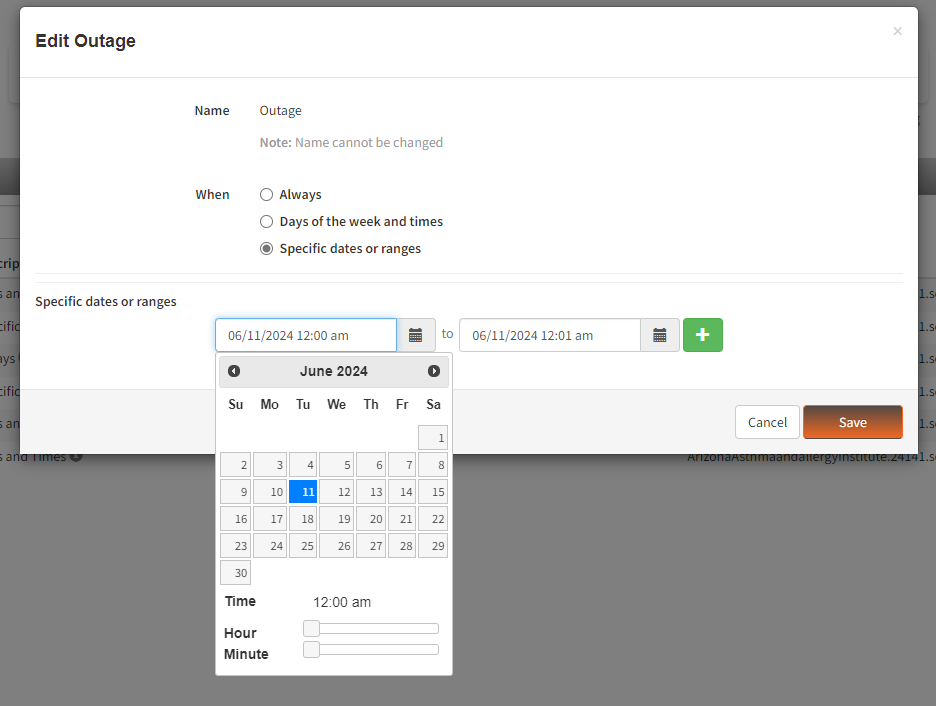
edit the date range to be the estimated time for the outage and hit save
step 3
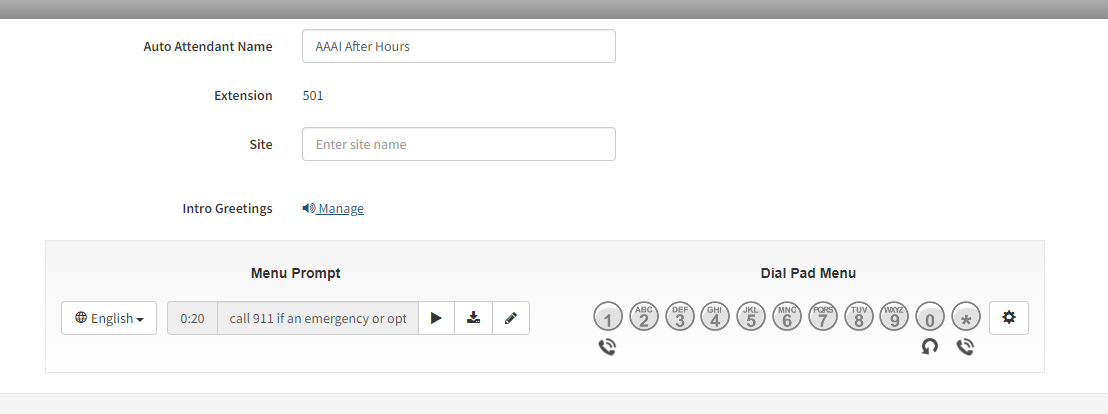
make sure that the after hours is setup with the outage greeting by navigating to AAAI After Hours in the Auto Attendants

Step 4
Hit Manage
Step 5
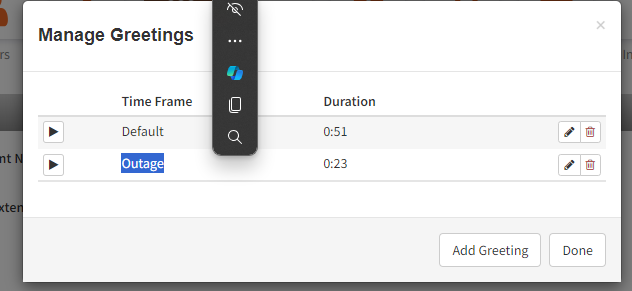
Make sure the Outage greeting is there. play the greeting and make sure it is the desired message
Was this article helpful?
That’s Great!
Thank you for your feedback
Sorry! We couldn't be helpful
Thank you for your feedback
Feedback sent
We appreciate your effort and will try to fix the article