This will be a step-by-step walkthrough on making a break where the phones will play the out of office hours auto attendant while all the users are training, on a break, or was requested. There will be a video as well for this process. Usually Jennifer Vaughn from AAAI requests these.
UCaaS is in EST not MST.
For an example I will say that they want to start the roll from Monday at 3:00 pm MST to Tuesday at 12 PM MST
1. log into https://ucaas.damontek.com/home and navigate to customers -> '<Your desired customer, usually AAAI>' -> Services -> Time Frame -> and their active hours or in the case of AAAI Business Hours
2. Keep in mind that the service shows in EST and is 3 hours ahead of MST.
3. Find the day or days they want to start the roll and change the End section to be when they want the roll to start.
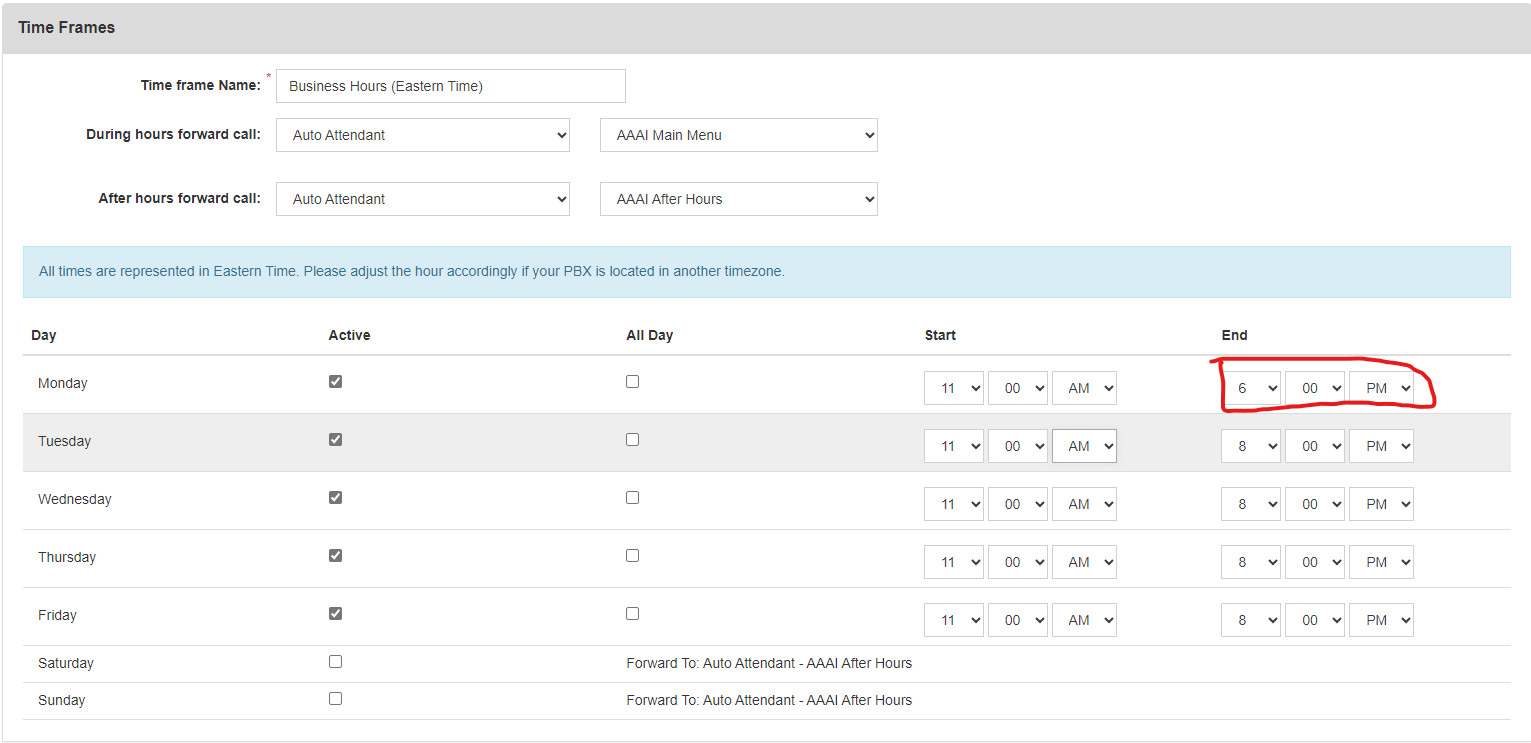
4. After that time has passed change the start time to be when it ends.
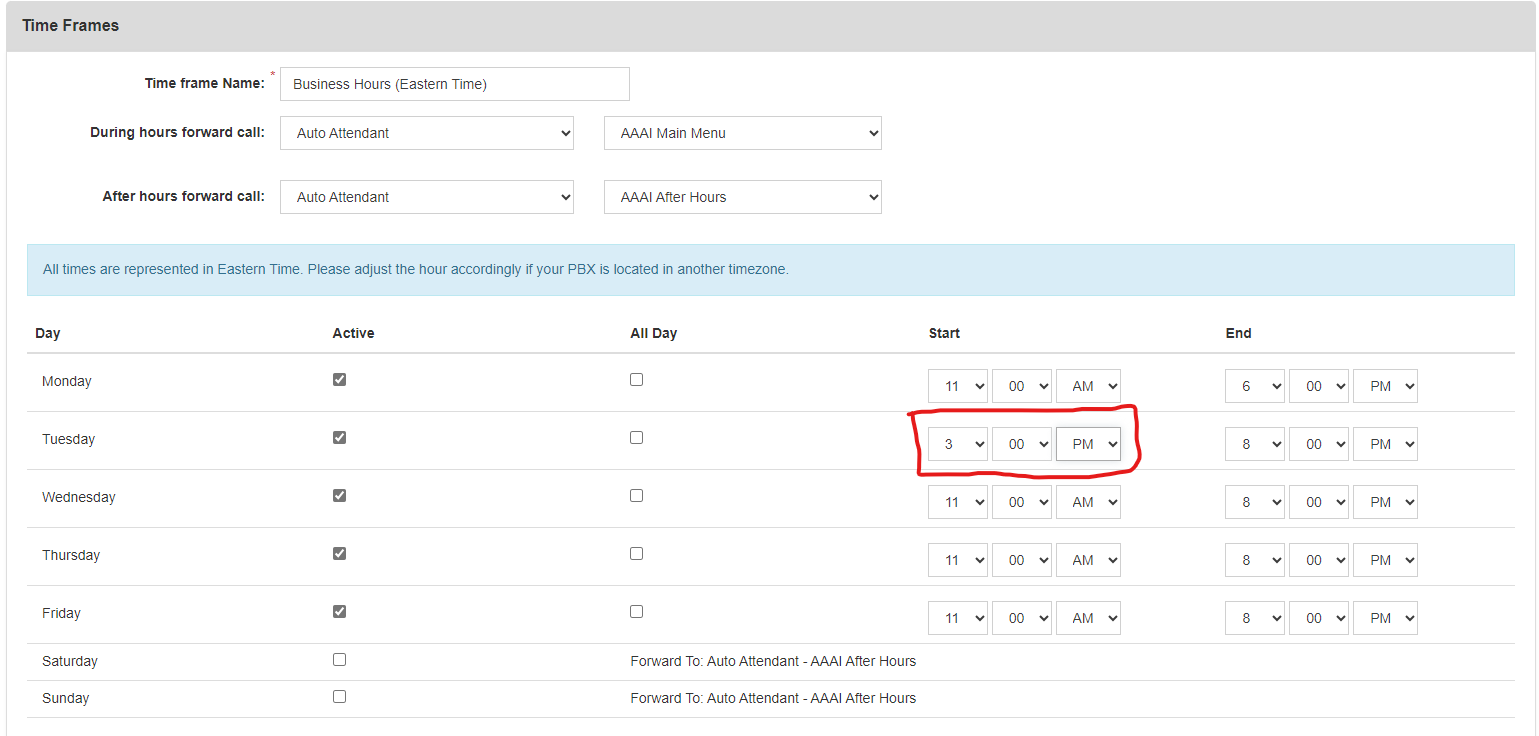
5. After both times have passed change the times back to normal. Like so
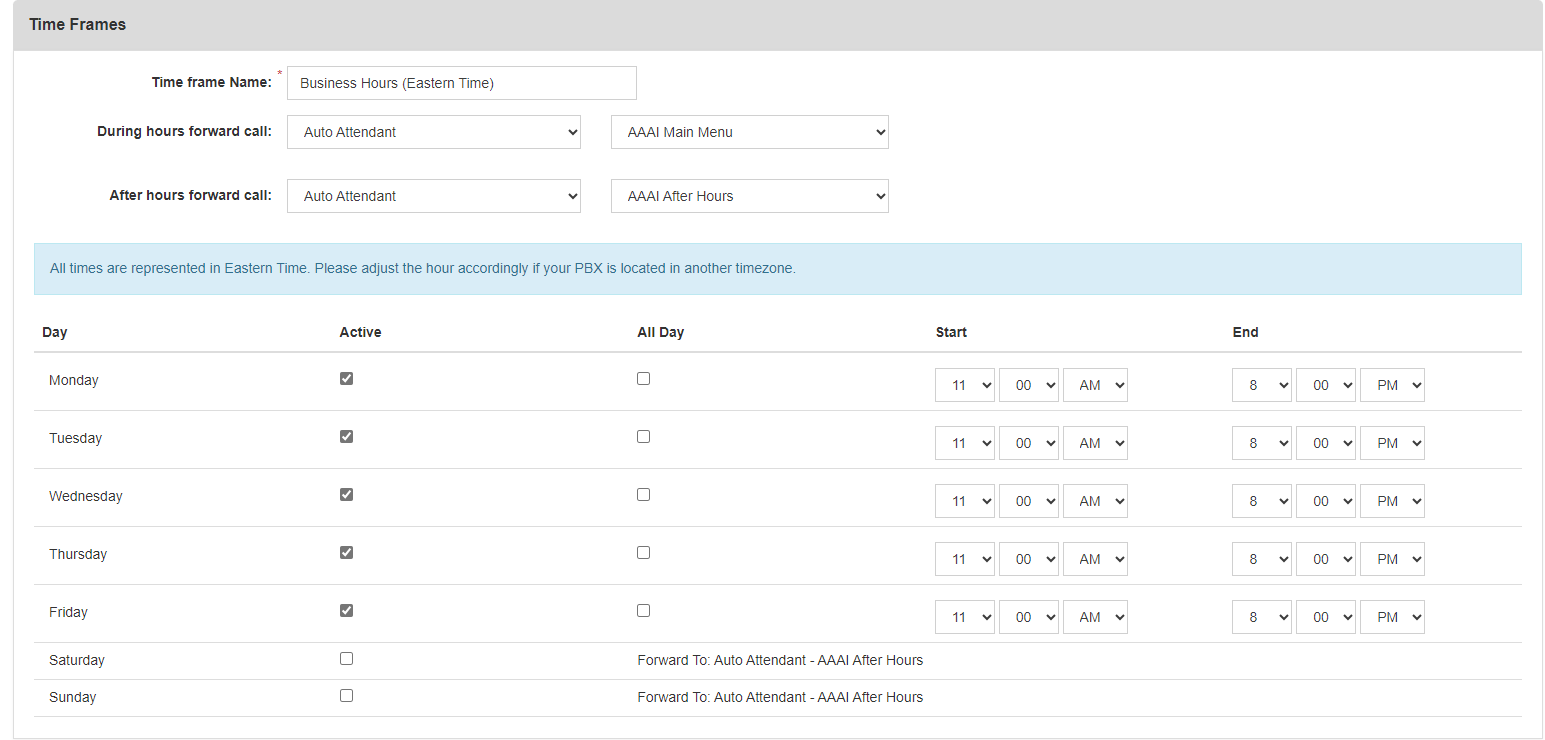
6. I like to let them know when I change the times as this is a very important part of the business.
UCaaS is currently 3 hours ahead of our time.
Was this article helpful?
That’s Great!
Thank you for your feedback
Sorry! We couldn't be helpful
Thank you for your feedback
Feedback sent
We appreciate your effort and will try to fix the article