Konica Minolta BizHub setup for scan to Updox
Updox is configured in the address book of each Bizhub as an SMB destination.
You can get to this configuration through the web interface or through the front panel.
You do not need to login as an admin to make updates.
Steps:
Get the IP address of the MFP from PrinterLogic.
From a device on the AAAI network (like the AVD session) open the web interface from a browser.
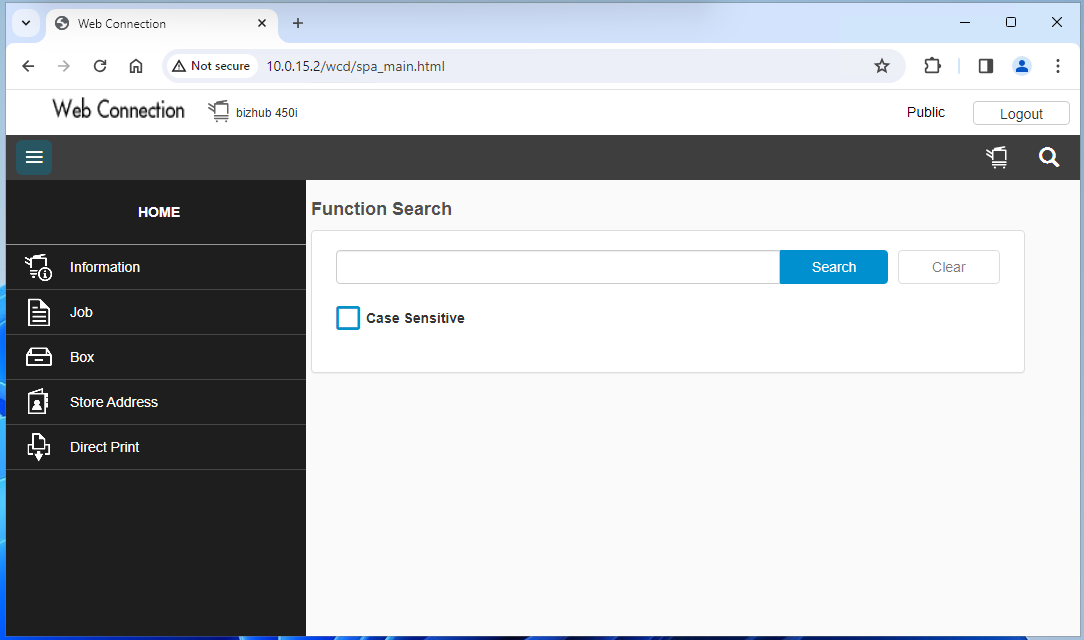
Click on the “Store Address” menu item and select “Address Book”.
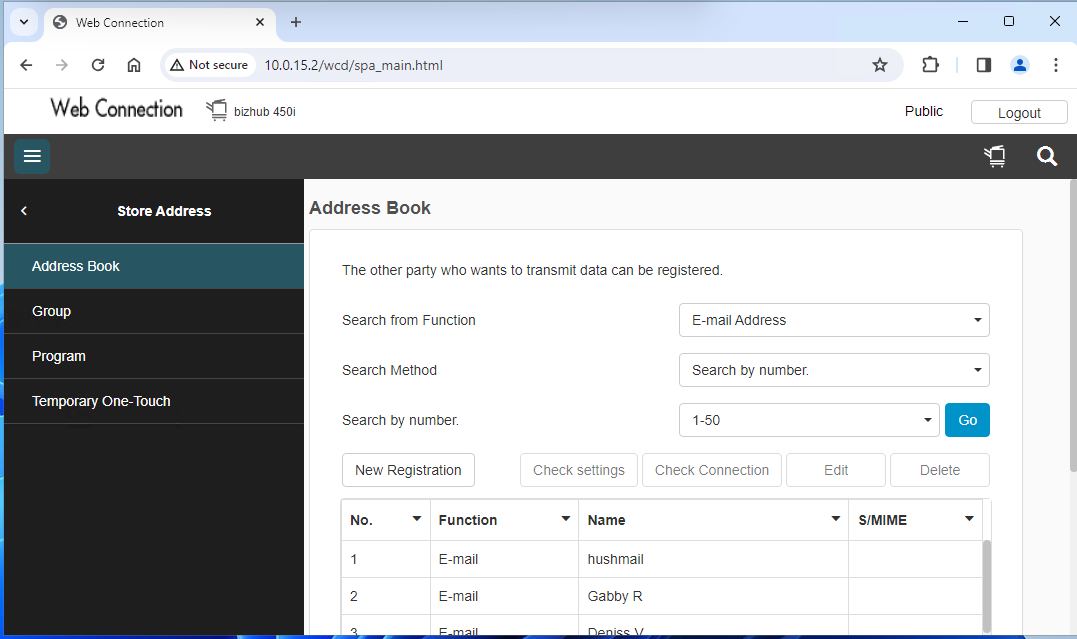
Change the “Search from Function” to SMB and click Go.
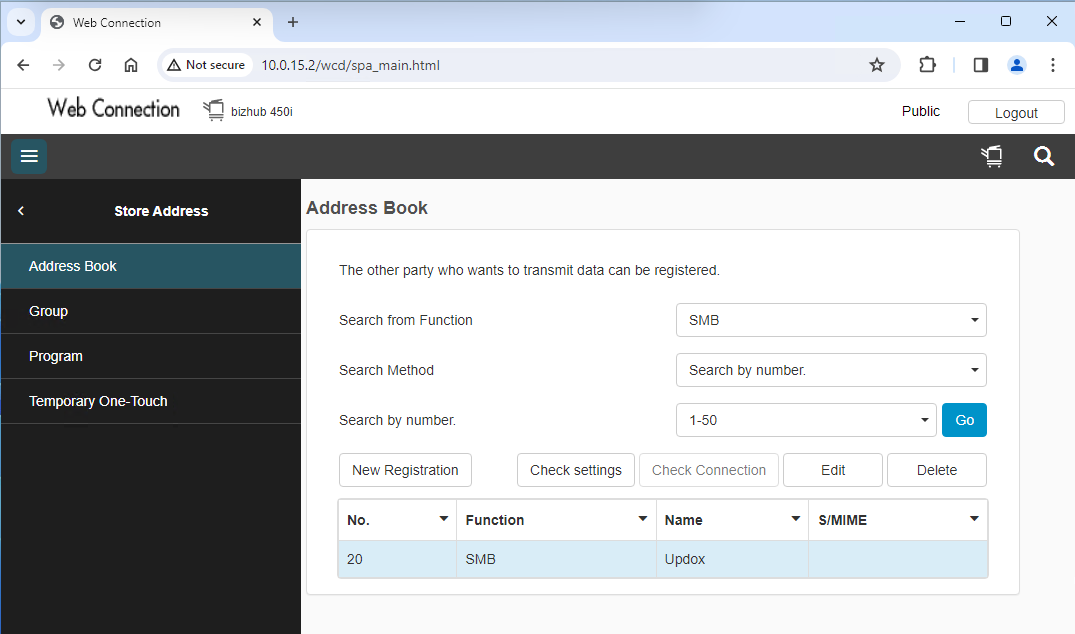
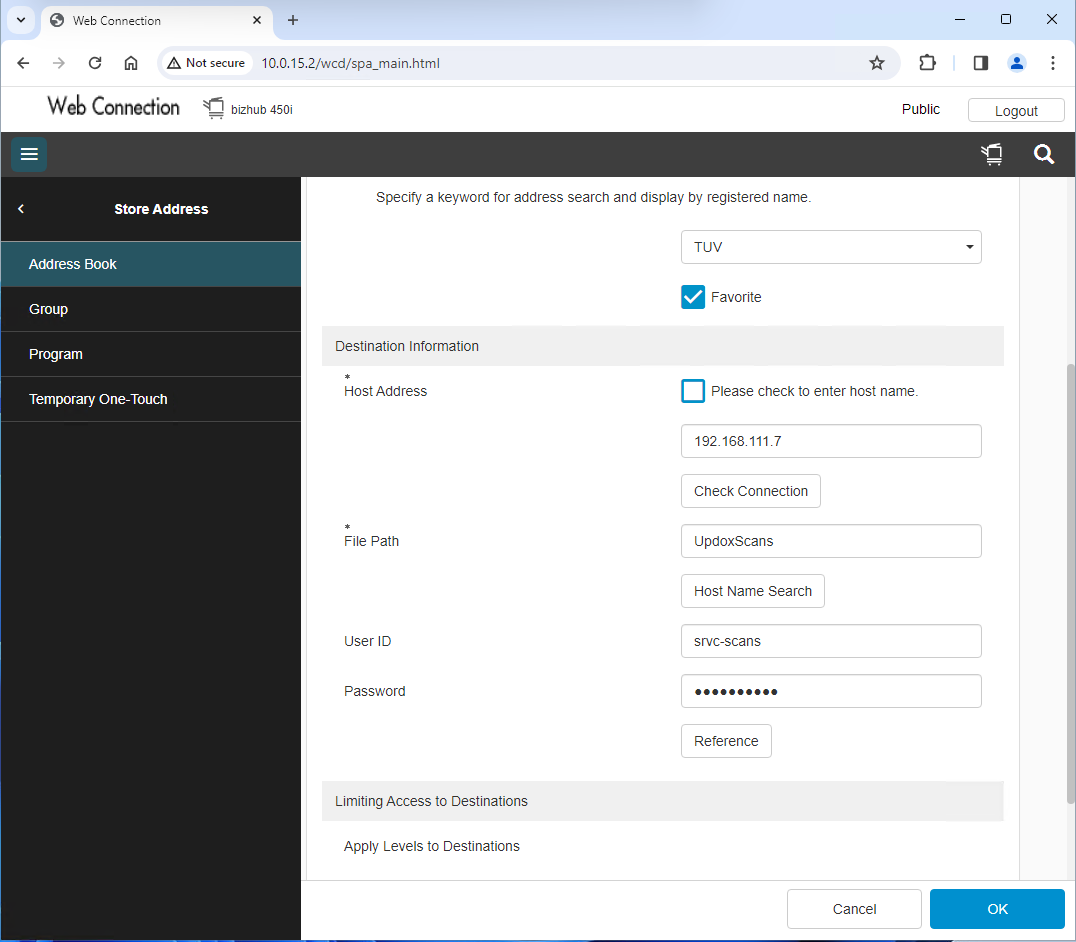
Highlight the row for Updox and click Edit. Configure as follows. The password in stored in Bitwarden.
Was this article helpful?
That’s Great!
Thank you for your feedback
Sorry! We couldn't be helpful
Thank you for your feedback
Feedback sent
We appreciate your effort and will try to fix the article